
Three quick habits that cut spikes: ping out your phone, tame chat noise, and stop background downloads mid-match.
Ping your phone, not the game server
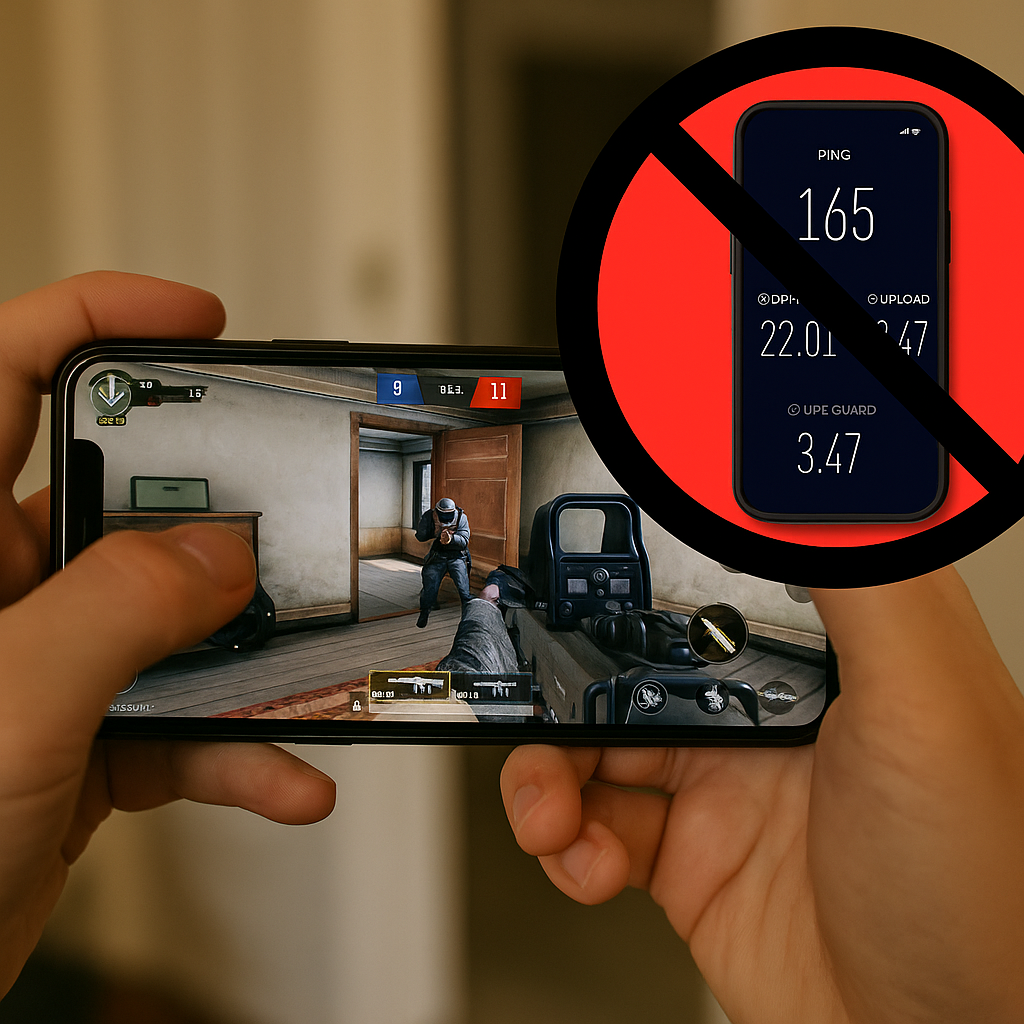
When mobile lag hits, the first instinct is to blame the game. I get it. You just watched your character rubber-band through a doorway and die behind cover, and the killcam makes you look like you were sightseeing. But before I touch sensitivity, graphics, or any in-game “network optimization” toggle, I run a quick test that tells me if my phone is the culprit. Not the game server. My phone.
I open Speedtest (or Cloudflare’s speed test in a browser) and I care about two numbers: ping and jitter. Download speed is usually a distraction for online play because a match doesn’t need 300 Mbps, it needs consistency. If my ping is fine but jitter is ugly, that’s when fights feel like coin flips. If ping is already high on LTE, I know I’m about to have a bad time on anything that’s twitchy, whether it’s Call of Duty: Mobile ranked, a sweaty Brawl Stars push, or the part of PUBG Mobile where everyone in the lobby suddenly turns into a beam machine.
Here’s the part people skip: I test twice, in two spots. Once where I normally play (couch, bedroom, balcony, whatever), and once with my phone held right next to the router for 15 seconds. Same network, same device, different signal quality. If the “near-router” test is dramatically cleaner, I don’t need a new ISP, I need to stop pretending my back corner has good Wi-Fi. If both tests look bad, I stop arguing with reality and switch to cellular or I pick a different game mode that won’t punish delay as hard.
I also look for the telltale micro-spike pattern. If ping jumps every few seconds like a heartbeat, something on my network is phoning home. That’s when I check if someone’s streaming 4K, if my console is updating, or if my own phone is backing up photos. It’s boring, but in online play, boring is the goal.
Turn voice chat into a tool, not a tornado
Most “lag” complaints I hear in party chat are really this: someone is drowning in noise and making every decision a half-second late. Online play is already a timing sport. If your voice channel is a constant blender of keyboard taps, breathing, and somebody’s TV audio feeding back into the mic, your brain burns cycles sorting it out. That’s how you end up swinging late, missing rotations, and swearing the server’s broken.
My fix is unglamorous and it works across Discord, in-game voice, and whatever party system your squad insists on using. I set up comms like I’m going to be annoyed in ten minutes, because I will be.
- Push-to-talk if you can. If you’re on a phone and that’s awkward, at least use a voice activity threshold that doesn’t open the mic every time you exhale.
- Turn off “mic auto gain” if your app has it and it’s pumping your volume up and down. Auto gain loves to turn chip bags into gunshots.
- Kill echo at the source: earbuds or a headset, not speakerphone. Speakerphone is how a lobby becomes a hall of mirrors.
- One caller in chaotic moments. When the final circle closes or overtime starts, I’ll literally say, “One voice.” Not forever. Just for 20 seconds.
The hands-on detail that surprised me: if I’m using Bluetooth earbuds on my phone, some models quietly switch profiles when the mic activates, and that can introduce weird compression or a slight delay in audio. It’s not always obvious until someone says, “Why did you react so late?” If I notice that, I swap to wired buds or I keep voice chat off and use pings.
And yes, pings matter. In games that support it well (Apex Legends Mobile used to be great for this, and plenty of newer titles copy the idea), a clean ping system is faster than a panicked paragraph over voice. “Two on roof” is fine. A ping on the roof plus “two” is better. A full story about your childhood while two enemies climb your ladder is how you end up blaming your ISP.
The hidden download that ruins your match
If you’ve ever had a match that starts fine and then turns into sludge right when things get serious, I’d bet lunch it wasn’t the server. It was a download. Not necessarily a big one, either. The nasty ones are the sneaky background tasks that kick in the moment your phone decides you’re “idle enough,” which is hilarious because you’re clearly in a 5v5 trying not to feed.
My pre-match routine is basically a small act of paranoia:
- Open your app store and pause updates. On Android, Google Play updates love to start at the worst possible time. On iOS, automatic updates can also jump in, especially if you just plugged in earlier.
- Check cloud backups and photo sync. Google Photos and iCloud can chew uplink, and uplink congestion is a quiet way to make online play miserable. If your upload is slammed, your game’s tiny outgoing packets fight for space.
- Disable VPNs unless you need them. Some VPN routes are fine, some are a ping tax you pay every second. If you’re using a VPN for privacy on public Wi-Fi, test it before you queue.
- Close the browser tab you forgot. The one with a stream, a sports app auto-refreshing, or a Discord channel that’s firing off GIFs like it’s a job.
This is one of those things you only learn after you’ve been burned: a “small” background upload can hurt more than a big download. I’ve watched my ping stay reasonable while a download runs, then jump and stutter when the phone starts syncing a batch of photos I took earlier. The match feels like you’re pulling your character through wet cement, and your squad thinks you’re throwing.
If you want a quick confirmation, look at your phone’s built-in data usage graph or your router app (Eero, Google Nest WiFi, TP-Link Deco). When the spikes line up with your worst in-game moments, it’s not a mystery anymore. Pause the noise, then queue. Your thumbs will feel smarter immediately.